To integrate Chatwoot with your Vue.js application, you need to paste the Chatwoot widget script in your Vue.js application's `index.html` file.
Here is how to do this:
## Step 1. Get your widget script[](https://www.chatwoot.com/docs/product/channels/live-chat/integrations/vue#1-get-your-widget-script "Direct link to heading")
Your widget script can be found in your Website Inbox settings. Go to Settings -> Inboxes -> Select your Website channel > `Configuration` tab.
If you haven't created a website inbox yet, you can find the step-by-step instructions [here](https://app.chatwoot.com/hc/chatwoot-user-guide-cloud-version/en/website-live-chat/474).
## Step 2. Copy the script[****](https://www.chatwoot.com/docs/product/channels/live-chat/integrations/vue#2-copy-the-script "Direct link to heading")
Copy the script that was created in the `code` field of the channel.
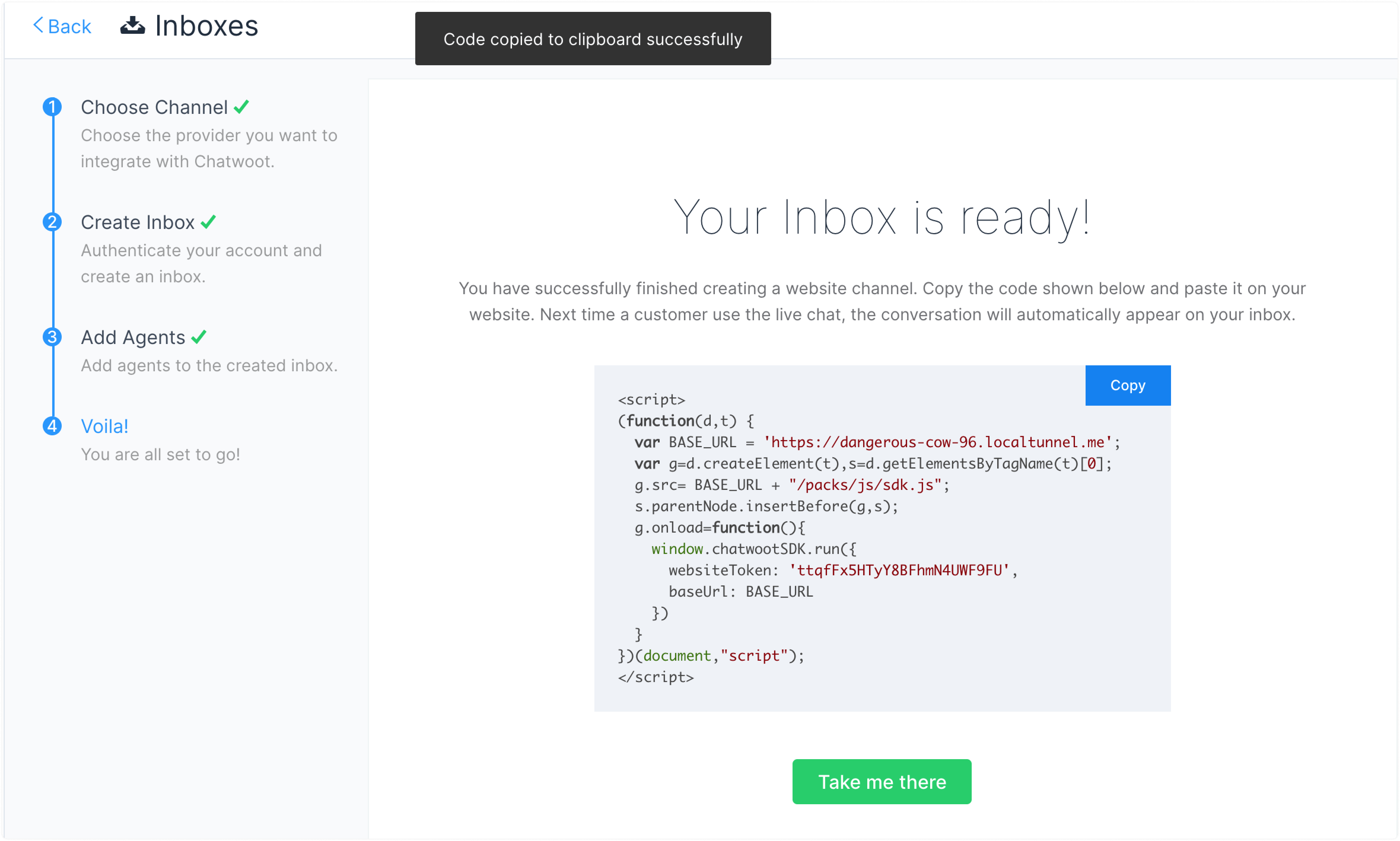
## Step 3. Paste the script here[](https://www.chatwoot.com/docs/product/channels/live-chat/integrations/vue#3-paste-the-script-here "Direct link to heading")
Open your Vue project and paste the script into the index.html file, right before the closing `
` tag.
```
```
## Step 4. Check
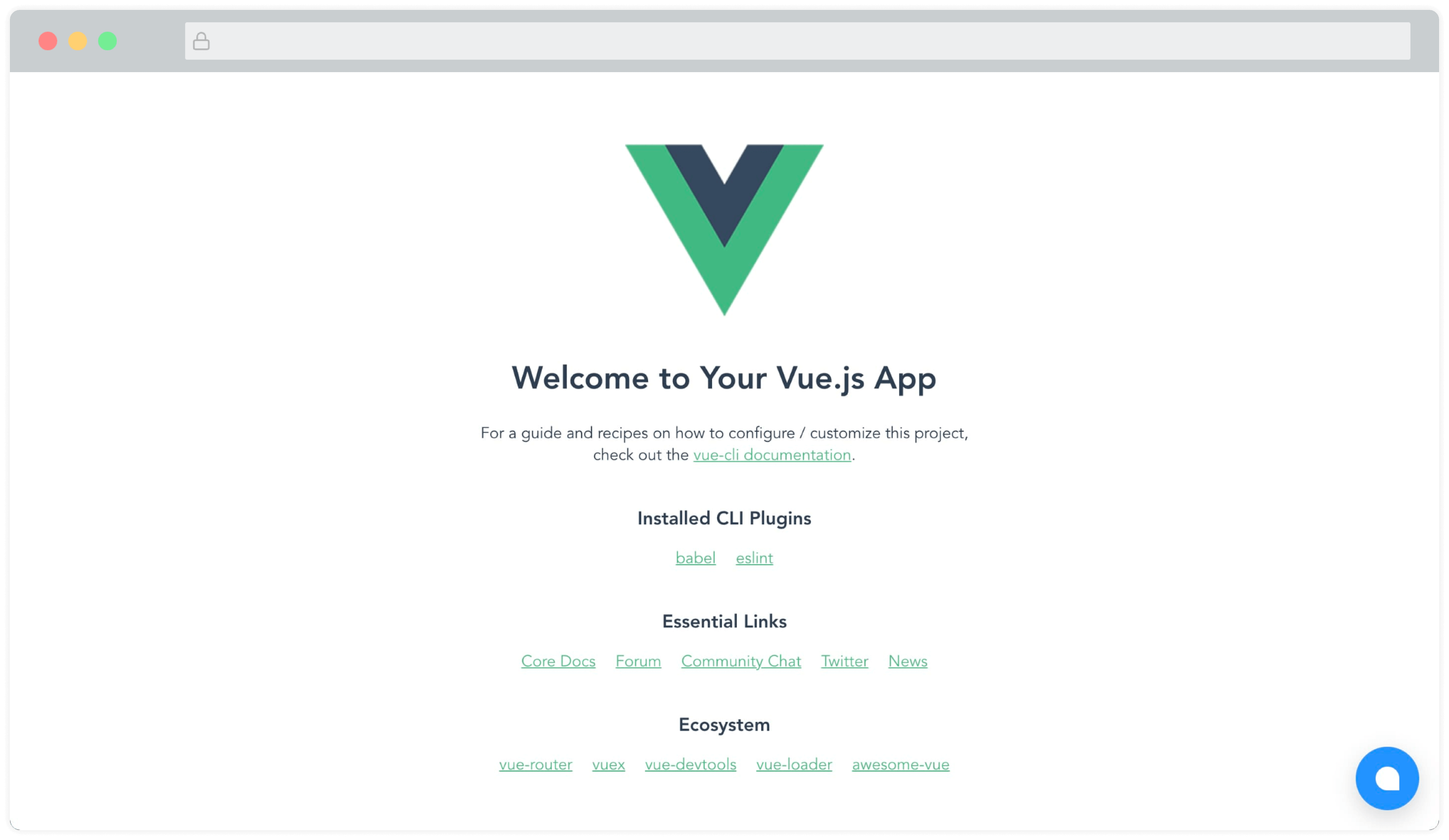
You will be able to see the Chatwoot widget on the page now. Something like this:
### Vue.js, Nuxt.js module[](https://www.chatwoot.com/docs/product/channels/live-chat/integrations/vue#vuejs-nuxtjs-module "Direct link to heading")
A community-maintained module (Made by the awesome folks at [@huntersofbook](https://github.com/huntersofbook/huntersofbook)) for integrating Chatwoot in your Vue 3 and Nuxt 3 projects is available. You can find a [demo here](http://vue-chatwoot-plugin.vercel.app/).
* View [Vue 3 module](https://github.com/huntersofbook/huntersofbook/tree/main/projects/chatwoot/packages/vue).
* View [Nuxt 3 module](https://github.com/huntersofbook/huntersofbook/tree/main/projects/chatwoot/packages/nuxt).