Para integrar o Chatwoot com sua aplicação Vue.js, você precisa colar o script do widget do Chatwoot no arquivo `index.html` da sua aplicação Vue.js.
Veja como fazer isso:
## Passo 1. Obtenha seu script do widget[](https://www.chatwoot.com/docs/product/channels/live-chat/integrations/vue#1-get-your-widget-script "Direct link to heading")
Seu script do widget pode ser encontrado nas configurações da Caixa de Entrada do seu site. Vá em Configurações -> Caixas de Entrada -> Selecione seu canal do site > aba `Configuração`.
Se você ainda não criou uma caixa de entrada para o site, pode encontrar as instruções passo a passo [aqui](https://app.chatwoot.com/hc/chatwoot-user-guide-cloud-version/en/website-live-chat/474).
## Passo 2. Copie o script[****](https://www.chatwoot.com/docs/product/channels/live-chat/integrations/vue#2-copy-the-script "Direct link to heading")
Copie o script que foi criado no campo `code` do canal.
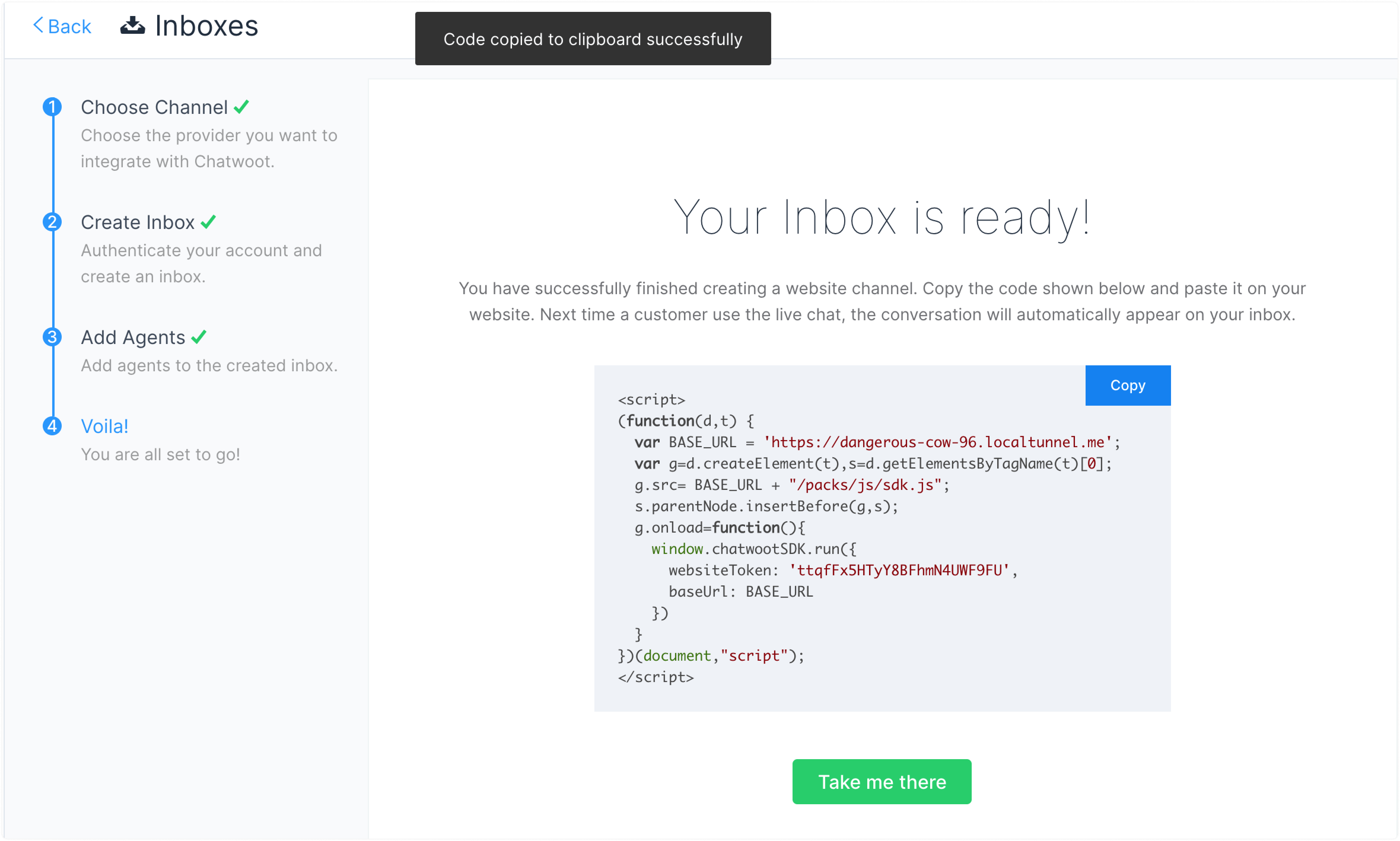
## Passo 3. Cole o script aqui[](https://www.chatwoot.com/docs/product/channels/live-chat/integrations/vue#3-paste-the-script-here "Direct link to heading")
Abra seu projeto Vue e cole o script no arquivo index.html, logo antes da tag de fechamento `
`.
```
```
## Passo 4. Verifique
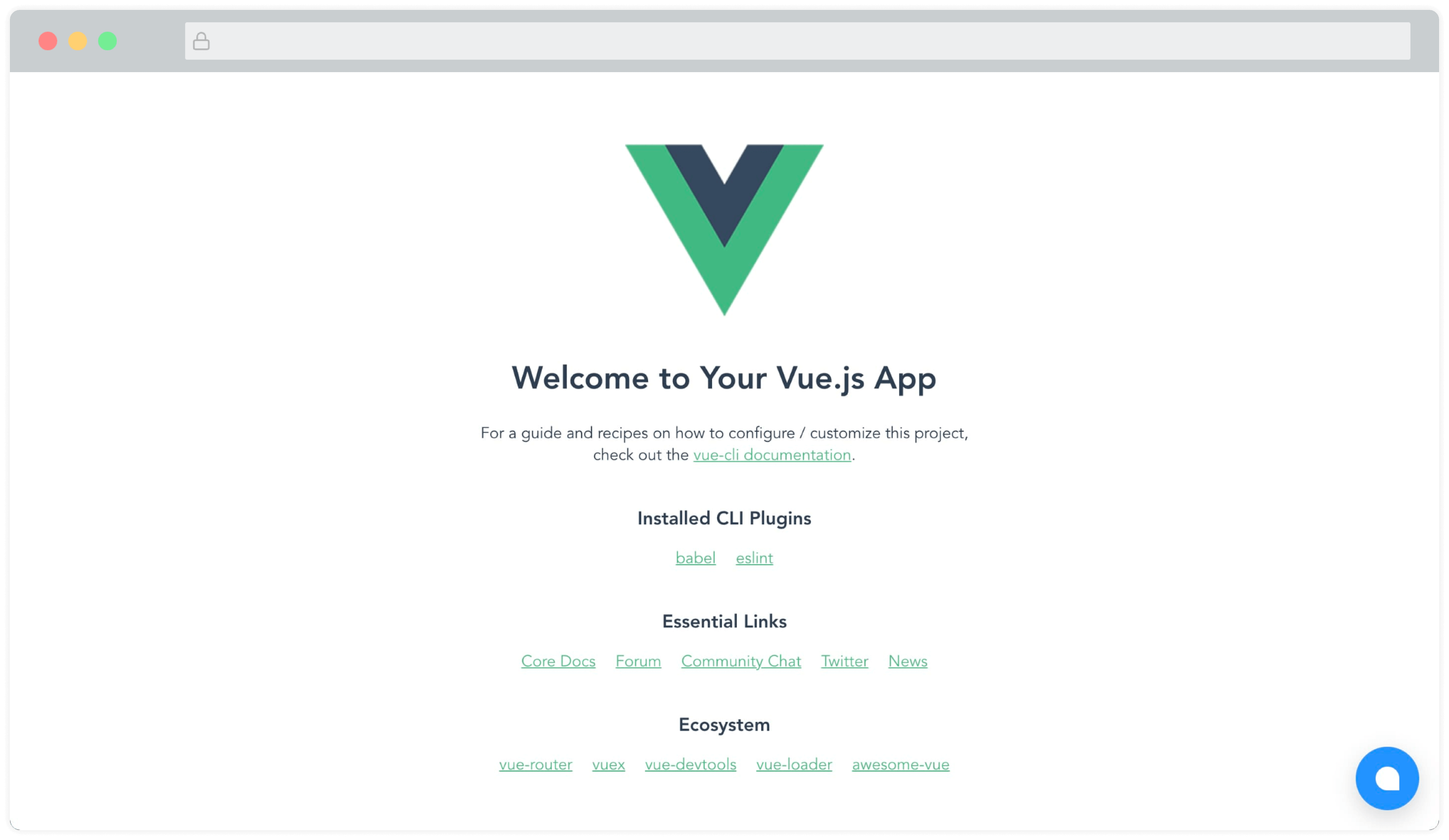
Agora você poderá ver o widget do Chatwoot na página. Algo assim:
### Módulo Vue.js, Nuxt.js[](https://www.chatwoot.com/docs/product/channels/live-chat/integrations/vue#vuejs-nuxtjs-module "Direct link to heading")
Um módulo mantido pela comunidade (Feito pelo pessoal incrível da [@huntersofbook](https://github.com/huntersofbook/huntersofbook)) para integrar o Chatwoot em seus projetos Vue 3 e Nuxt 3 está disponível. Você pode encontrar um [exemplo aqui](http://vue-chatwoot-plugin.vercel.app/).
* Veja o [módulo Vue 3](https://github.com/huntersofbook/huntersofbook/tree/main/projects/chatwoot/packages/vue).
* Veja o [módulo Nuxt 3](https://github.com/huntersofbook/huntersofbook/tree/main/projects/chatwoot/packages/nuxt).